
Driver Tree

The Driver Tree feature has been replaced by the Column Lineage feature in Version 2026.1.
The Driver Tree displays the involved key figures for Reusable Key Figures along with showcasing formulas and restrictions.
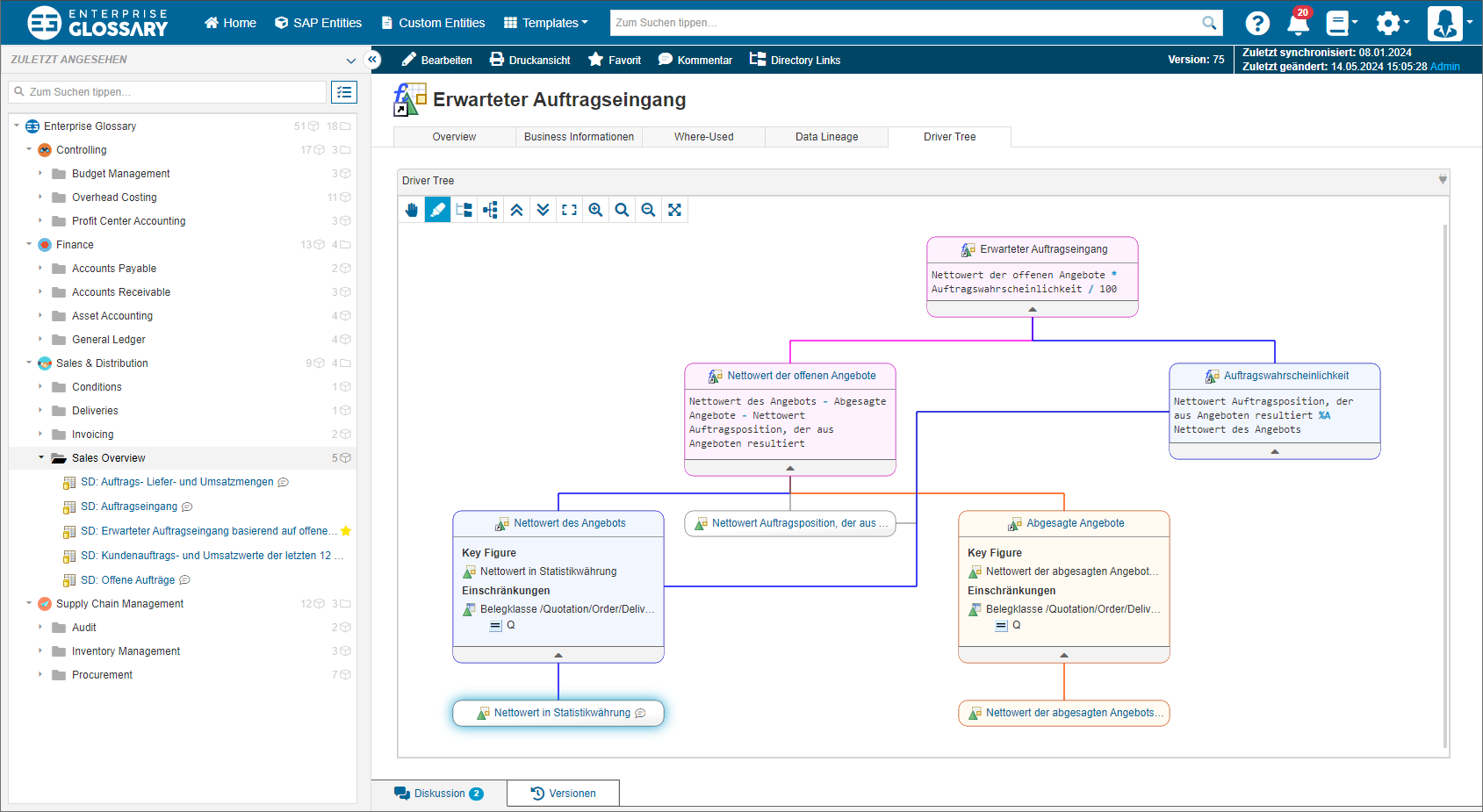
Supported Object Types
Driver Trees can be displayed for the following object types:
SAP BW:
Calculated Key Figures
Restricted Key Figures
Local Formulas of Queries
Local Selections of Queries

If you do not see a tab for the Driver Tree, you might have to add the tab in the corresponding SAP Template.
Controls
 | Use this control to select and move elements in the Driver Tree. |
 | Use this control to drag the Driver Tree. |
 | Use this control to select and highlight parts of the Driver Tree. There are two stages: hover will highlight in orange color. Selecting a node will highlight in blue color until the selected node is unselected. Nodes that are part of the orange and blue highlight are displayed in purple. |
 | Use this control to hange the display of the Driver Tree to a vertical orientation. |
 | Use this control to change the display of the Driver Tree to a horizontal orientation. |
 | Use this control to collapse all nodes of the Driver Tree. |
 | Use this control to expand all nodes of the Driver Tree. |
 | Use this control to fit the complete Driver Tree graph into the available area. |
 | Use this control to increase the zoom level. |
 | Use this control to apply the default zoom level. |
 | Use this control to decrease the zoom level. |
 | Use this control to enter the fullscreen mode. |
 | Use this control to exit the fullscreen mode. |