
SAP Datasphere (DSP)
To access the DSP system, an OAuth client has to be created in your DSP.
Your DSP > System > Administration > App Integration > Add an OAuth Client
Create an OAuth Client with the Purpose "Interactive Usage" and Authorization Grant “Authorization Code”.
You can choose a Name to your linking. For the Redirect URl enter http://localhost:8089
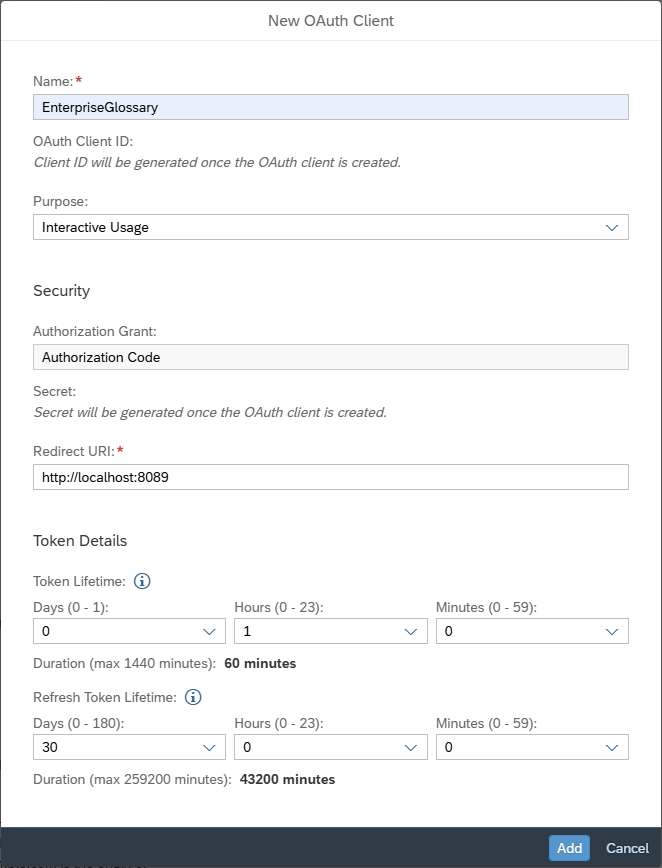
Once all the settings are done, add the client.
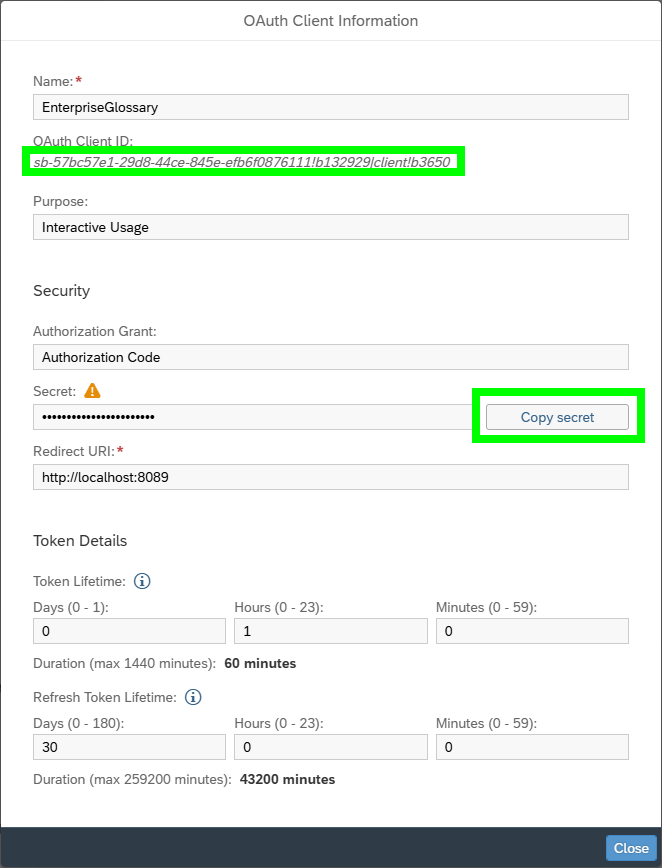
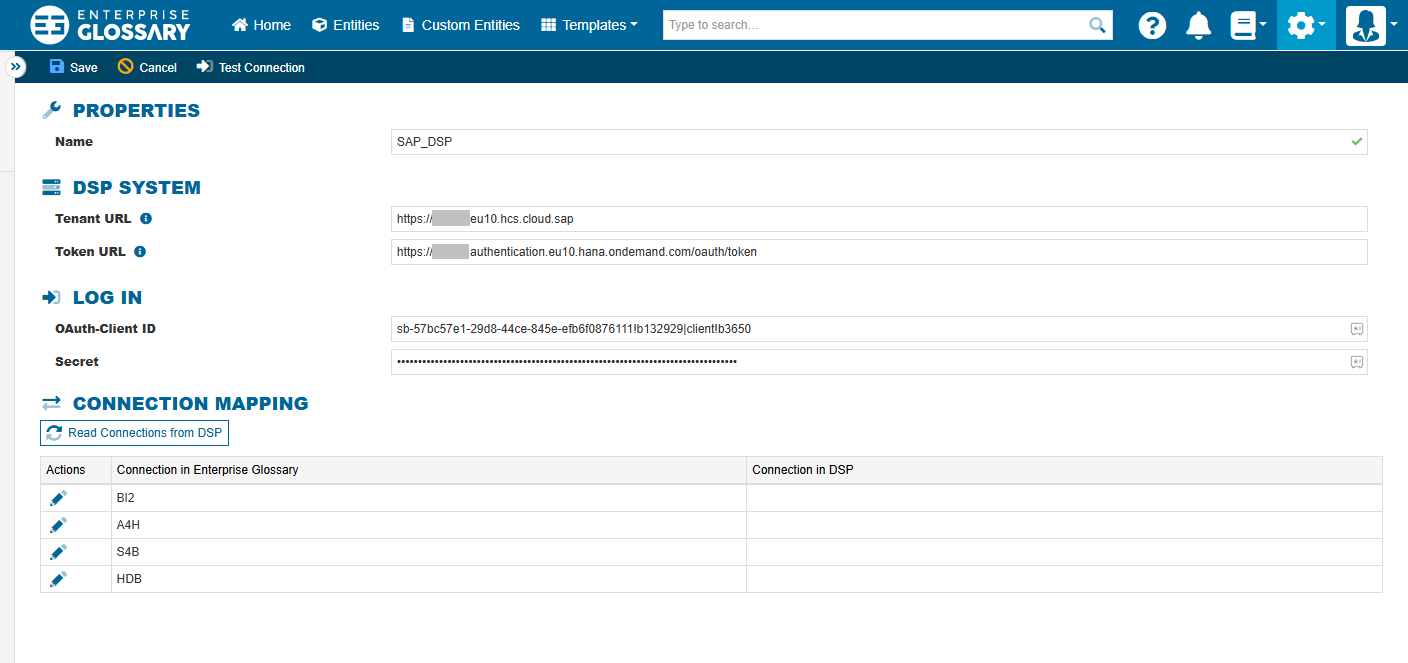
Copy the OAuth Client ID and the Secret and paste them in the Connection in Enterprise Glossary and add the remaining connection parameters.
Authorization in Datasphere
The Datasphere user used in Enterprise Glossary needs to be authorized to the desired Spaces. The user must have a Custom and Scroped Role for those Spaces that enables READ for the following aspects:
Data Warehouse Consumption
Data Warehouse General
Data Warehouse Data Access Control
Data Warehouse Data Builder
Data Warehouse Data Integration
Data Warehouse Connection
Data Warehouse Runtime
Space Files
Spaces
Data Warehouse Graph Modeler
Alternatively you can assign the user the following Standard SAP Roles:
DW Modeler
DW Viewer